Bambu Lab P1S vs P2S: Which Combo Should You Buy in 2026?
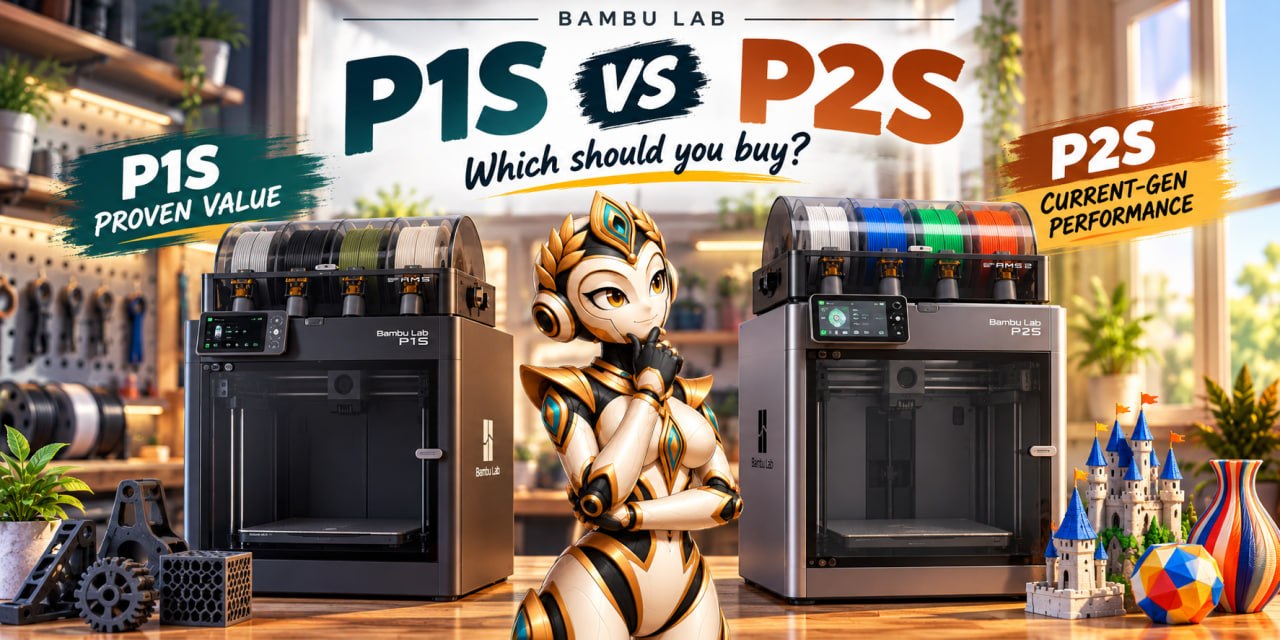
Quick answer
The P2S is the newer, more capable printer — PMSM servo extruder, quick-swap hotend, Auto Flow Dynamics, a 5-inch touchscreen, and AI error detection. The P1S is cheaper, proven, and officially supports the same AMS 2 Pro multi-color system. Multi-color is not the deciding factor — both printers do it. The real differences are the extrusion and flow-control hardware, and how much you actually print. Pick by workload, not by which is newer.
People treat the P1S vs P2S decision like it is a religion. It is not. It is about how much you actually print, how demanding your filaments are, and whether you want the current-generation extrusion hardware. Multi-color is the part the marketing leads with — but it is not where the real difference is. Let us sort out what actually separates these two, using only what Bambu has published and what the community has independently confirmed.
How this was verified: specs are drawn from official Bambu Lab product pages and the P2S launch announcement (bambulab.com, checked October 8, 2026). Street prices are from Bambu’s US store and Amazon on the same date. Where a claim is a manufacturer figure rather than an independent benchmark, it is labeled as such. I did not find a rigorous third-party head-to-head benchmark, so I am not citing one.
Why This Is a Real Comparison (Not X1C vs X2D)
I wrote a lot about the X1C and X2D, and that is where the "which top-tier Bambu" debate lives. But here is the thing nobody is asking: most people buying a Bambu in 2026 are not reaching for a flagship. They are reaching for a combo — a printer with the AMS multi-color system bundled in — and they are choosing between the P1S and the newer P2S.
That is the real buying decision in this price band, and it is the one that decides what is actually on your desk. So let us treat it like the decision it is.
First, the Part Most Comparisons Get Wrong
Most "P1S vs P2S" content leads with multi-color. It should not. Both printers can do multi-color out of the box. The P1S ships in a Combo with the original AMS; Bambu also sells a P1S AMS 2 Pro Combo. The P2S Combo ships with the AMS 2 Pro. So multi-color capability is shared — the difference is which AMS unit is bundled, not whether the printer can do it.
Keep two things separate: printer capability (extruder, hotend, flow control, screen, detection) and AMS capability (spool count, drying, multi-color). The P1S and P2S differ on both, but the AMS is an accessory — the same AMS 2 Pro unit works on either printer. That distinction matters because it changes who the upgrade is actually for.
The real differentiators are in the printer hardware itself: the extruder, the hotend, the flow-control system, and the detection hardware. That is where the P2S premium is actually buying something.
The P1S: The Proven Mid-Ranger
The Bambu Lab P1S is the printer that made "Bambu" a household name in the mid-range. It is the enclosed, fast, reliable, set-it-and-forget-it machine that proved a sub-flagship could feel premium. Bambu confirms the P1S "remains available and fully supported" after the P2S launch — it is not discontinued.
- Build volume: 256 × 256 × 256 mm — big enough for nearly everything hobbyists print.
- Speed: 500 mm/s maximum travel speed (manufacturer spec) — genuinely fast for the class, if not the fastest Bambu you can buy.
- Extrusion: High-flow extruder, well-matched to the stock nozzles. Solid, but the P2S's servo extruder is a step further (see below).
- Hotend: Standard hotend; nozzle changes are a manual hot swap.
- Multi-color: The P1S Combo bundles the original AMS. Bambu also sells a P1S AMS 2 Pro Combo, which is the same AMS 2 Pro unit that ships in the P2S Combo — including its active filament drying.
- Price: Cheaper than the P2S, and the one that most regularly appears on sale and in bundle deals.
- Maturity: The longest track record of the two, and the deepest body of community answers. If it is broken, someone has already documented the fix.
The P1S is the "safe" choice. It is the printer with the most answers in the community and the longest track record of doing exactly what it says it will do.
The P2S: The Newer, More Capable Sibling
The Bambu Lab P2S is the direct successor in this class. Bambu describes it as a "completely reengineered version of the ultra-productive P1 series" — not "P1S plus multi-color," but a genuinely different extrusion, flow-control, and detection stack. Multi-color is the thing it also does; it is not the thing that makes it different.
- Extruder: New PMSM servo extruder — Bambu rates it at up to 8.5 kg of extrusion force, "70% more than the predecessor," sampling force and position at 20 kHz to detect grinding and clogging in real time. This is the single biggest hardware step up.
- Flow control: Auto Flow Dynamics — a high-frequency eddy-current sensor that performs continuous, active flowrate compensation so extrusion stays consistent layer to layer (Bambu's phrasing: "precise, consistent extrusion across every layer and corner").
- Hotend: Quick-swap hotend — one-clip nozzle swap, no wiring, roughly a 30-second change, so switching nozzle sizes is a real daily-ergonomics win.
- Screen: Larger 5-inch touchscreen running Bambu's 2nd-generation UI (the P1S has a small 2.7-inch 192×64 LCD with a rotary dial — a different class of interface).
- AI detection: AI Error Detection on a 2 TOPS NPU — catches spaghetti, nozzle blobbing, and purge-chute jams, and cross-checks the build plate and nozzle against your slicer settings.
- Airflow: Adaptive Airflow System — cold-air intake, a heat-preserving flap, and a carbon filter to reduce ambient thermal drift around the print.
- Materials: Hardened-steel extruder gears and components, aimed at fiber-reinforced and other abrasive filaments.
- Speed: 600 mm/s maximum travel speed (manufacturer spec), versus the P1S's 500 mm/s. Treat it as a peak travel speed, not a per-print guarantee (see the caveat below).
- Multi-color: P2S Combo bundles the AMS 2 Pro, which adds active filament drying on top of multi-color. Note: the P1S can use the same AMS 2 Pro — this is not a P2S-only capability.
- Build volume: 256 × 256 × 256 mm — same as the P1S, so you are not trading size.
The P2S is the "I want the current one" choice. If the P1S is the proven workhorse, the P2S is the upgraded workhorse — better extruder, better flow control, faster nozzle swaps, better detection, and a bigger screen.
Specs Side by Side
| Spec | P1S | P2S |
|---|---|---|
| Build volume | 256 × 256 × 256 mm | 256 × 256 × 256 mm |
| Max travel speed | 500 mm/s (mfr. spec) | 600 mm/s (mfr. spec) |
| Extruder | High-flow (standard) | PMSM servo — up to 8.5 kg force, real-time clog/grinding detection |
| Flow control | Standard auto-calibration | Auto Flow Dynamics (eddy-current, active flowrate compensation) |
| Hotend | Standard (manual nozzle swap) | Quick-swap (one-clip, ~30 s) |
| Touchscreen | 2.7-inch 192×64 LCD (segment, rotary dial) | 5-inch touchscreen, 2nd-gen UI |
| AI error detection | Basic | AI Error Detection on 2 TOPS NPU |
| Adaptive airflow | Standard | Adaptive Airflow System (intake + flap + carbon filter) |
| AMS in Combo | Original AMS; P1S AMS 2 Pro Combo also sold | AMS 2 Pro |
| Multi-color | Yes (AMS or AMS 2 Pro) | Yes (AMS 2 Pro) |
| Enclosed | Yes | Yes |
| Status | Still sold and fully supported by Bambu | Current model |
| US price (Oct 8, 2026, Bambu US store) | $399 base / $579 AMS Combo | $549 base / $749 AMS 2 Pro Combo |
| Best for | Value, single-color, proven | High-flow / fiber-reinforced, current-gen hardware |
On prices: I pulled these from the Bambu US store on October 8, 2026 — P1S from $399 (base) up to $579 (P1S AMS Combo); P2S $549 (base) and $749 (P2S + AMS 2 Pro Combo). The meaningful like-for-like comparison is Combo to Combo: $579 for the P1S AMS Combo versus $749 for the P2S AMS 2 Pro Combo. Street prices on Amazon are frequently lower than these — check both before buying. Combo prices bundle the AMS, which is an accessory, not a printer upgrade.
The One Speed Claim to Treat Carefully
The P1S is rated at 500 mm/s maximum travel speed; the P2S at 600 mm/s — both manufacturer-published figures. But a higher peak travel speed is not a promise that every print will be faster. The wall-clock time on a given model depends on the model's geometry, the profile you use, and how much of the print is actually traveling at that speed. For typical hobbyist models the difference is real but modest; for models that are mostly high-speed bridging and infill, it is more noticeable. Do not let "universally faster" do the selling for you.

What the P2S Gets You That the P1S Does Not
The real hardware deltas — the things that are genuinely different, not just newer:
- The PMSM servo extruder and Auto Flow Dynamics. More extrusion force (8.5 kg rated vs. the P1S's standard extruder) and active, sensor-based flowrate compensation. This is what makes fiber-reinforced and other high-friction filaments more reliably printable, and what reduces clogs and under-extrusion on long jobs. On a P1S you get the older extruder and the older calibration. This is the biggest real difference.
- The quick-swap hotend. One-clip nozzle swaps in about 30 seconds, no wiring. If you change nozzle sizes often — 0.4 to 0.6 to 0.2 and back — this is a genuine daily-ergonomics win, not a spec-sheet flex.
- The 5-inch touchscreen and 2nd-gen UI. A full color touchscreen versus the P1S's small 2.7-inch segment LCD with a rotary dial — a genuine step up in day-to-day usability. Quality-of-life, not print-quality.
- AI Error Detection on a 2 TOPS NPU. Catches spaghetti, blobbing, and purge-chute jams, and cross-checks the plate and nozzle against your slicer. The P1S has detection, but the P2S runs it on a dedicated NPU.
- Adaptive Airflow System and hardened-steel components. Better thermal management around the print and components that take the abuse of abrasive, fiber-reinforced filaments.
What it is not: a multi-color advantage. The AMS 2 Pro that ships in the P2S Combo is the same unit the P1S can buy as the P1S AMS 2 Pro Combo. Multi-color and drying are AMS features, not P2S-printer features.
What the P1S Still Does Better
Be fair to the P1S — it is not just "last year's model."
- Price. It is the cheaper of the two, and the one that regularly shows up on sale and in bundle deals. For a first enclosed printer, that lower entry cost is real money saved.
- Proven track record. The P1S has the longest track record of the two. The troubleshooting guides, the tuned profiles, the community answers — they are all thicker around the P1S. If you like a machine with a deep well of known-good settings, that is the P1S.
- Single-color efficiency. If you print mostly one color, the P1S's speed is plenty and you are not paying for the P2S's servo extruder and quick-swap hotend.
Which One Should You Buy? (By Situation)
My Verdict — by situation, not by dogma
Buying a first enclosed Bambu, and you have the budget? The P2S Combo is the better buy on pure capability — current-gen extruder, quick-swap hotend, NPU-based detection, bigger screen. But the P1S is a legitimate, cheaper, fully-supported alternative, and a P1S AMS 2 Pro Combo gets you the same multi-color and drying. Neither is a wrong choice here; the P2S is just the more capable one for the money if budget is not the constraint.
Buying on a budget, mostly single-color PLA/PETG? The P1S is the smarter wallet. You save real money and lose very little for single-color functional work. This is the one segment where the P2S premium buys you hardware you are not going to use. Wait for a sale — the P1S shows up on deals regularly.
Already own a P1S — should you upgrade? This is the question the marketing does not answer. If your P1S prints single-color PLA/PETG fine, do not upgrade — the P2S will not make those prints meaningfully better, and you can add the AMS 2 Pro to your existing P1S if you want multi-color and drying. Upgrade only if you are constantly fighting the extruder — fiber-reinforced filaments, clogs, under-extrusion on long jobs, or you change nozzle sizes often and the manual swap is driving you up the wall. In that case the servo extruder and quick-swap hotend are the real wins. Otherwise your P1S is doing its job, and the "newer" is not a reason.
Print demanding materials or change nozzles a lot? This is where the P2S premium actually pays for itself — the servo extruder handles high-friction and fiber-reinforced filaments better, the quick-swap hotend makes frequent nozzle changes painless, and the NPU-based detection and airflow system reduce failed long jobs. If your workload is demanding-materials-heavy, the P2S is the better tool.
Print a lot of multi-color? Both do it, with the same AMS 2 Pro available on each. Do not pay the P2S premium on the assumption that multi-color is a P2S feature — it is not. The AMS 2 Pro is an accessory, and the P1S can take it.
Bottom line: the P2S is the better tool for demanding and frequent printing; the P1S is the better value for single-color or light printing; and for existing P1S owners the honest answer is usually "keep the P1S and add the AMS 2 Pro if you want multi-color, unless the extruder is the bottleneck." Newer is not automatically better — it is better for a specific set of workloads.
Check the P2S Combo on Amazon →Check the P1S Combo on Amazon →
Sources: Official Bambu Lab — P2S product page, P2S launch announcement, and the Bambu wiki (P1S specs); pricing from the Bambu US store (Oct 8, 2026). No independent head-to-head benchmark was used — none found.
Final word: the P2S is the better tool if you want the current hardware and you print demanding materials or frequently. The P1S is the better value if you mostly print single-color or you are on a budget. And if you already own a P1S, the honest answer is that the P2S is an upgrade for extrusion-heavy or high-friction workflows — not a must-have for everything else, and not a must-have just because it is newer. That is the whole decision, and it is a lot simpler than the comment sections make it look.
Related Posts
Some links on this page are affiliate links. Prices and availability change — always check before buying. US prices shown as of October 8, 2026.